
Wedding Photo Prompts (2026): 8 Bridal, Groom and Couple Looks for Gemini, ChatGPT and Grok
A wedding is not one photo but a whole set of moments: the yellow chaos of the haldi, henna drying on the bride’s hands, the varmala, the pheras and the glamour of the reception. These eight prompts turn an ordinary photo into each of those moments, so you can preview a bridal look, make a keepsake for an anniversary or simply create a festive profile picture.
Upload one clear photo of yourself, or one photo of the two of you for the couple prompts. Every prompt keeps your face unchanged and only builds the outfit, jewellery, setting and light around you. The app named on each card is the one we suggest, but all eight work in Gemini (Nano Banana), ChatGPT and Grok.
How to use these prompts
- Tap Copy Prompt under the look you like, or tap the ChatGPT, Gemini or Grok button to open the app with the prompt.
- Upload a clear, front-facing photo of yourself (or of both of you for couple prompts) in Gemini, ChatGPT or Grok.
- Paste the prompt if it is not already filled in, then send it.
- Want a change? Reply with one small edit at a time, like “make the outfit deep maroon”.
8 wedding photo prompts
Video tutorial: how to use these prompts
1. Red Bridal Lehenga Portrait

Use my uploaded photo and keep my face, features, skin tone and hairstyle exactly the same. Create a vertical 4:5 photorealistic bridal portrait of me in a deep red bridal lehenga with heavy gold zardozi work, a sheer red dupatta draped over my head, a kundan maang tikka, nath and layered necklace. I stand under a floral mandap of marigolds and white roses, soft window light from the left, shallow depth of field, calm confident expression.
Tip: For a modern bride, change “deep red” to “blush pink with silver work”.
2. Groom in Ivory Sherwani

Use my uploaded photo and keep my face, features, skin tone and hairstyle exactly the same. Create a vertical 4:5 photorealistic portrait of me as a groom in an ivory silk sherwani with gold embroidery, a maroon safa with a small kalgi, a pearl mala and a stole over one shoulder. I stand in a sandstone palace courtyard with arches behind me, golden late-afternoon light, proud gentle smile.
Tip: Keep the beard line by adding “keep my beard exactly as it is”.
3. Haldi Morning Laugh

Use my uploaded photo and keep my face, features, skin tone and hairstyle exactly the same. Create a vertical 4:5 candid photo of me at my haldi ceremony, wearing a yellow chikankari kurta with fresh marigold jewellery, turmeric paste on my cheeks and arms, laughing as petals fall around me. Courtyard decorated with yellow drapes and marigold strings, bright natural daylight, joyful and slightly messy, photorealistic.
4. Mehndi Hands Close-Up

Use my uploaded photo and keep my face, features, skin tone and hairstyle exactly the same. Create a vertical 4:5 photorealistic close-up of me sitting on floor cushions at a mehndi night, showing both hands covered in intricate fresh henna up to the elbows, wearing a green and pink lehenga and silver jhumkas. Fairy lights and marigold strings blur in the background, warm cosy light, my face smiling down at the henna.
Tip: Ask for “dark maroon dried henna” for the day-after look.
5. Varmala Moment
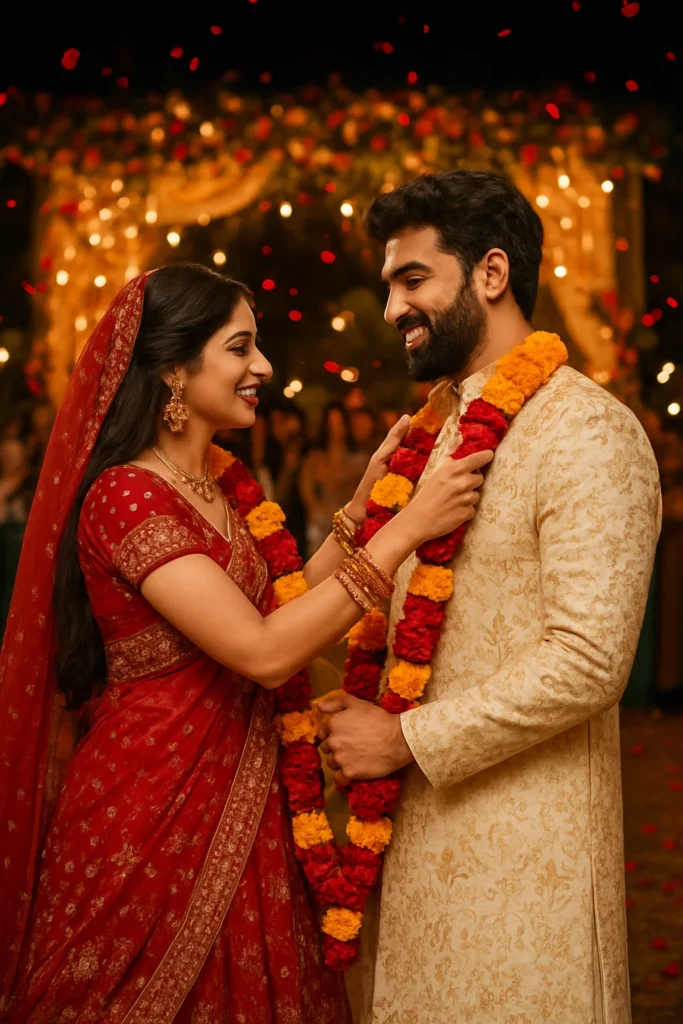
Use the uploaded photo of the two of us and keep both faces, features and skin tones exactly the same. Create a vertical 4:5 photorealistic photo of our varmala moment: the bride in a red lehenga and the groom in an ivory sherwani placing rose and marigold garlands around each other’s necks on a decorated stage, guests blurred behind us, rose petals in the air, warm evening lights, both of us smiling.
Tip: Say who is the bride and who is the groom if you upload two photos.
6. Pheras by the Sacred Fire
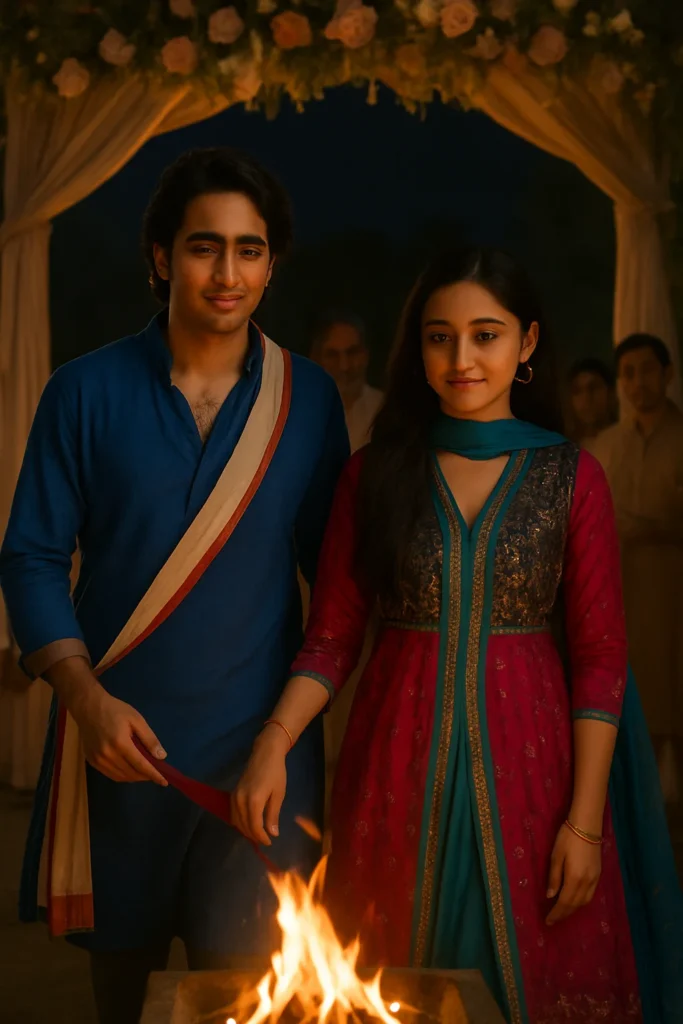
Use the uploaded photo of the two of us and keep both faces, features and skin tones exactly the same. Create a vertical 4:5 photorealistic photo of us walking the pheras around a small sacred fire under a floral mandap at night, the bride’s dupatta tied to the groom’s stole, soft orange firelight on our faces, a priest and family blurred in the background, calm emotional mood.
7. Palace Pre-Wedding Shoot
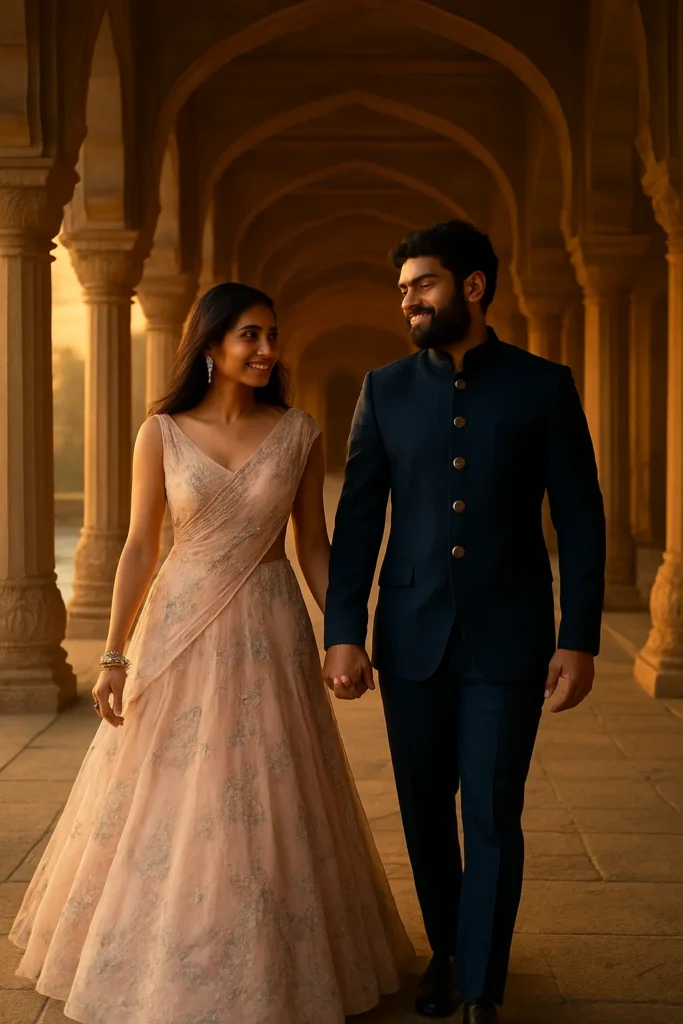
Use the uploaded photo of the two of us and keep both faces, features and skin tones exactly the same. Create a vertical 4:5 photorealistic pre-wedding photo of us walking hand in hand along a palace corridor with tall arches, she in a flowing pastel lehenga, he in a navy bandhgala, golden sunset light streaming through the arches, cinematic colour grade, natural candid smiles.
Tip: Swap the palace for “a tea garden in the hills” for a softer look.
8. Reception Glamour
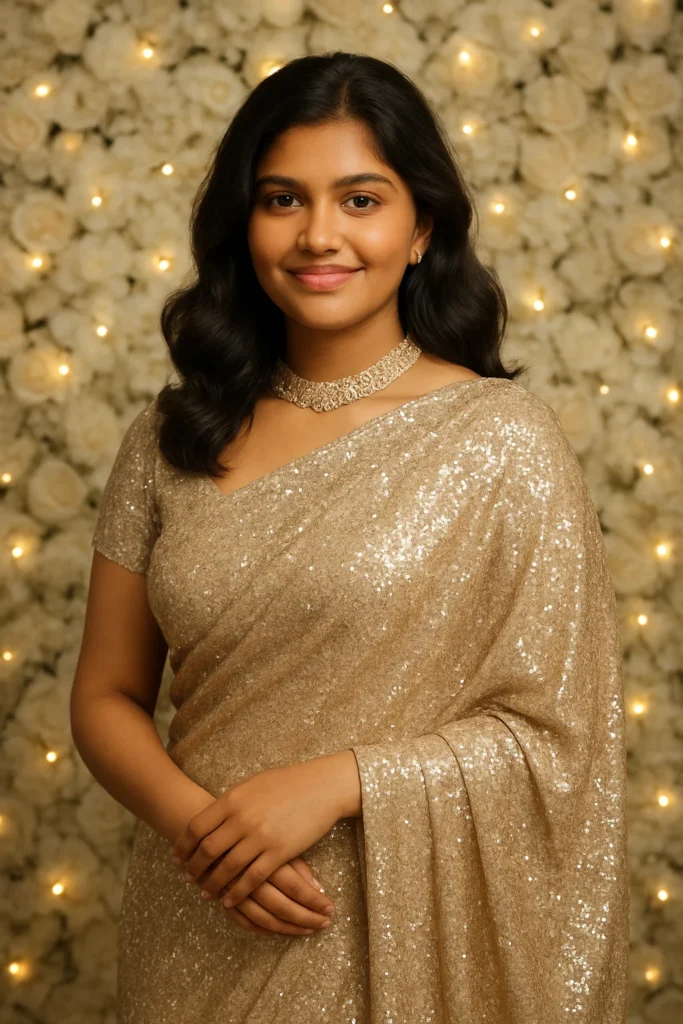
Use my uploaded photo and keep my face, features, skin tone and hairstyle exactly the same. Create a vertical 4:5 photorealistic reception portrait of me in a shimmering champagne-gold sequinned saree with a diamond choker, soft waves in my hair, standing in front of a stage wall of white flowers and warm fairy lights, elegant studio-style lighting, gentle smile.
Outfit and colour ideas for wedding photos
Most wedding results look better when you choose one clear colour story. Here are combinations that work well in all three apps.
Classic red and gold
Red lehengas with gold zari, kundan jewellery and marigold or rose decor give the traditional bridal look most people expect. Ask for “warm golden light” so the reds stay rich instead of orange.
Pastels for day functions
Blush pink, mint, powder blue and ivory suit haldi, mehndi and daytime ceremonies. Pair them with pearl or polki jewellery and soft daylight for a fresh, modern feel.
Ivory, navy and maroon for grooms
An ivory sherwani with a maroon safa, a navy bandhgala or a black tuxedo for the reception all photograph well. Name the fabric, such as “raw silk” or “velvet”, for better texture.
Tips for better results
- Use a sharp photo with your full face visible and no sunglasses or heavy filters.
- For couple prompts, a photo of both of you side by side keeps faces most accurate.
- Name the jewellery pieces you want; asking for “all jewellery” can look crowded.
- If a face changes, reply “keep my face exactly as in the uploaded photo”.
Frequently asked questions
Can I preview my bridal look with these prompts?
Yes. Many brides use them to try outfit colours and jewellery styles before the wedding. Keep in mind the result is an AI image, not a real fitting.
Can I make a couple photo from two separate photos?
Yes. Gemini and ChatGPT let you upload two photos. Tell the app who is the bride and who is the groom before you paste the prompt.
Which app is best for wedding photos?
All eight prompts work in Gemini (Nano Banana), ChatGPT and Grok. Heavy embroidery and jewellery can vary between apps, so try another app if details look wrong.
Are these wedding prompts free?
Yes. You can copy and use every prompt for free. The AI apps may limit how many images you can create on their free plans.